Know who paid, what they paid for, and what still needs your attention.
Send one payment link, collect the receipt and keep the full payment record together.
Your customer pays your bank directly. VeriPay never holds or moves the money.
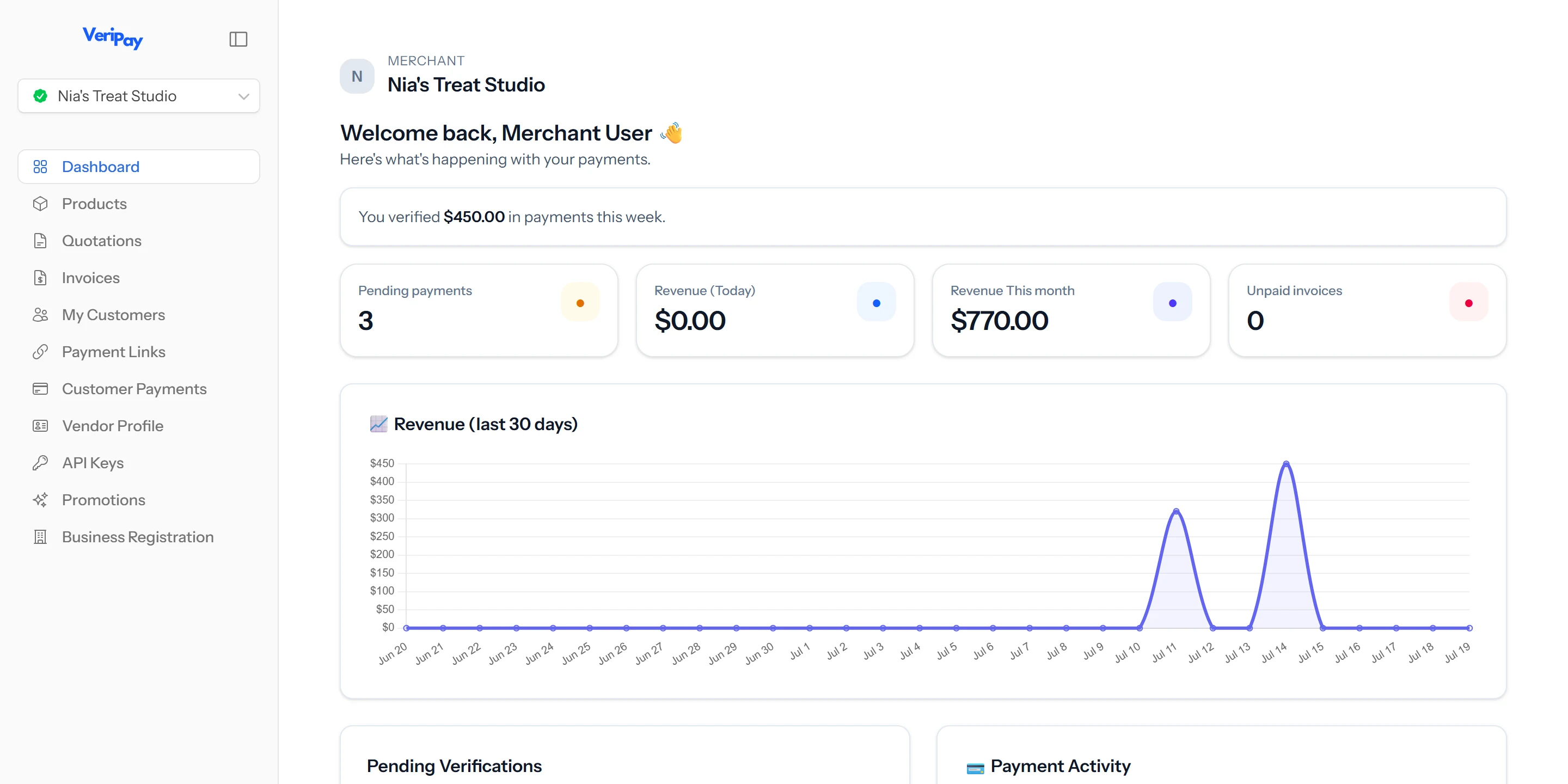
Still searching through messages to confirm a payment?
The money may have reached your account, but working out who sent it is another story.
The amount is in one chat. The receipt is in another. The bank deposit may not clearly identify the customer.
VeriPay keeps the payment request, banking instructions and submitted receipt together, so you can check the payment without piecing everything together yourself.
- “What account should I send it to again?”
- “I paid yesterday.”
- “Did you get the receipt?”
- “I sent it already, check your account.”
- “Which order was that payment for?”
Four transfers is fine. Forty is a headache.
Nothing is written down in one place, so every question means going back through messages to rebuild the story.
- Banking details copied out again for every new customer
- Receipts buried somewhere in the chat history
- Deposits that don't say who they came from
- A follow-up list you keep in your head
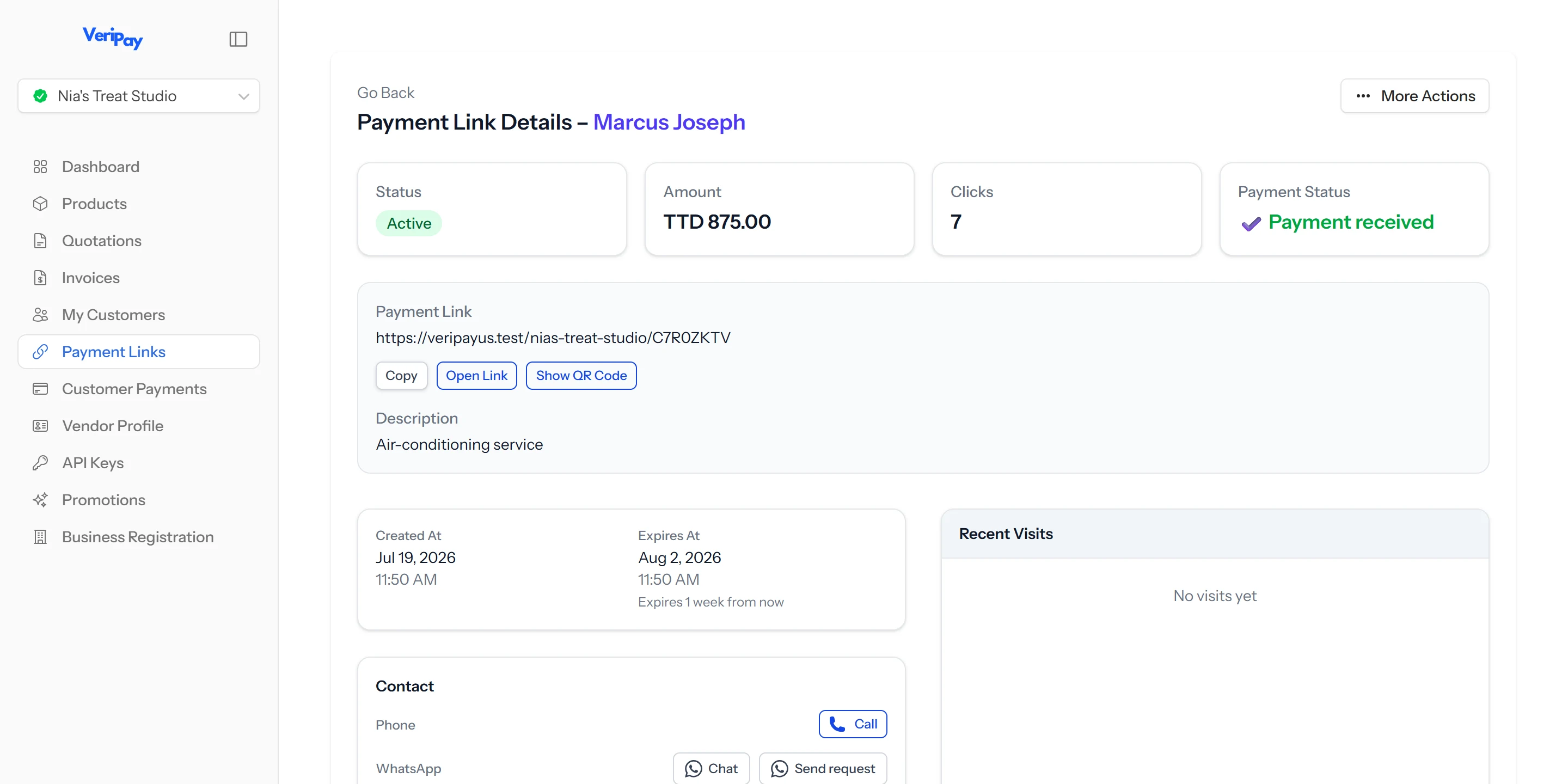

One request. One receipt. One status.
The customer, the amount and the proof stay attached to the request - so checking a payment takes seconds, not scrolling.
Nothing lost in the chat
Stop digging through messages to check one payment
The request, the customer, the amount and the receipt they sent all stay together. When you need to check a payment, you already know where to look.
One link, everything on it
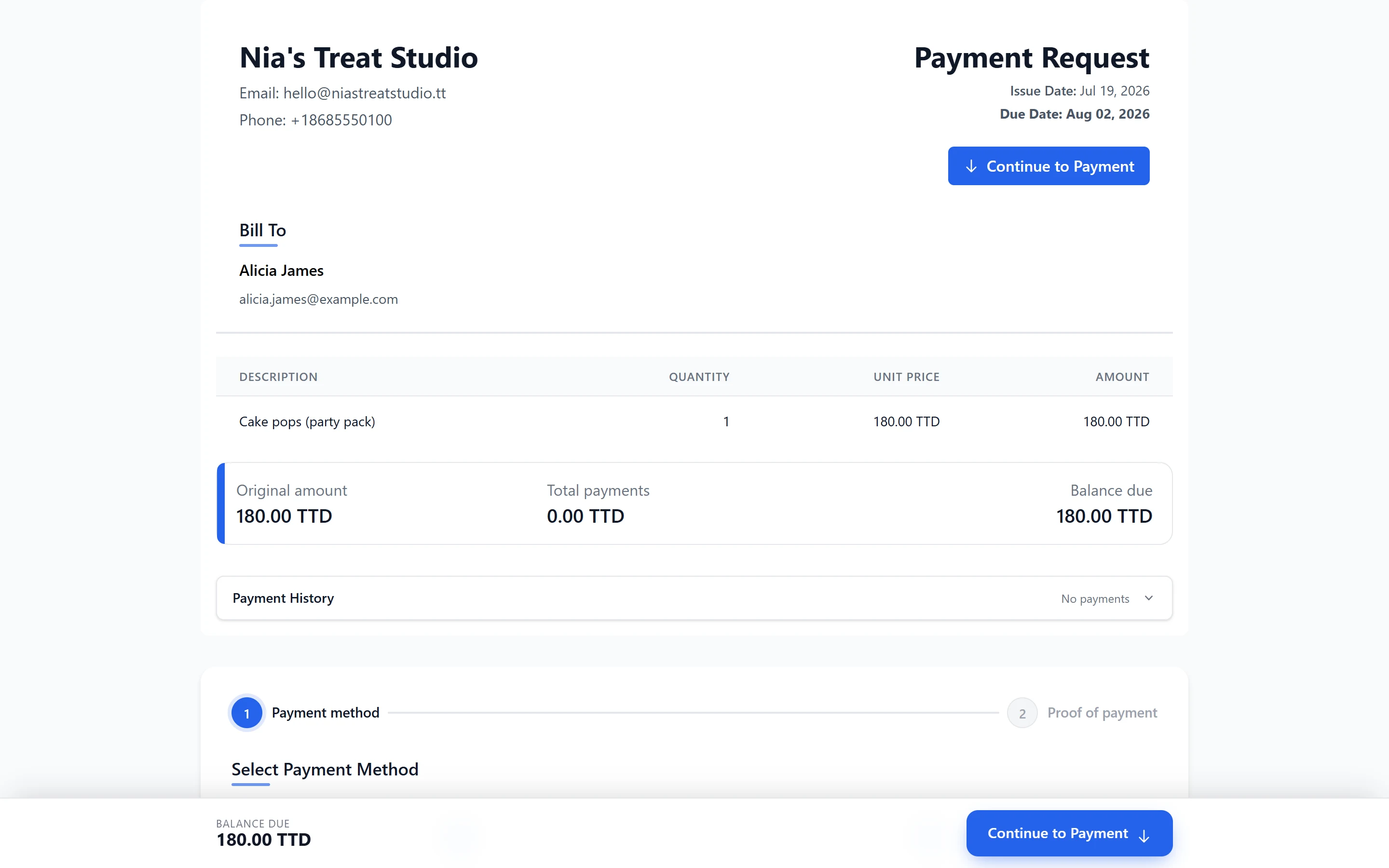
Stop typing out your banking details again
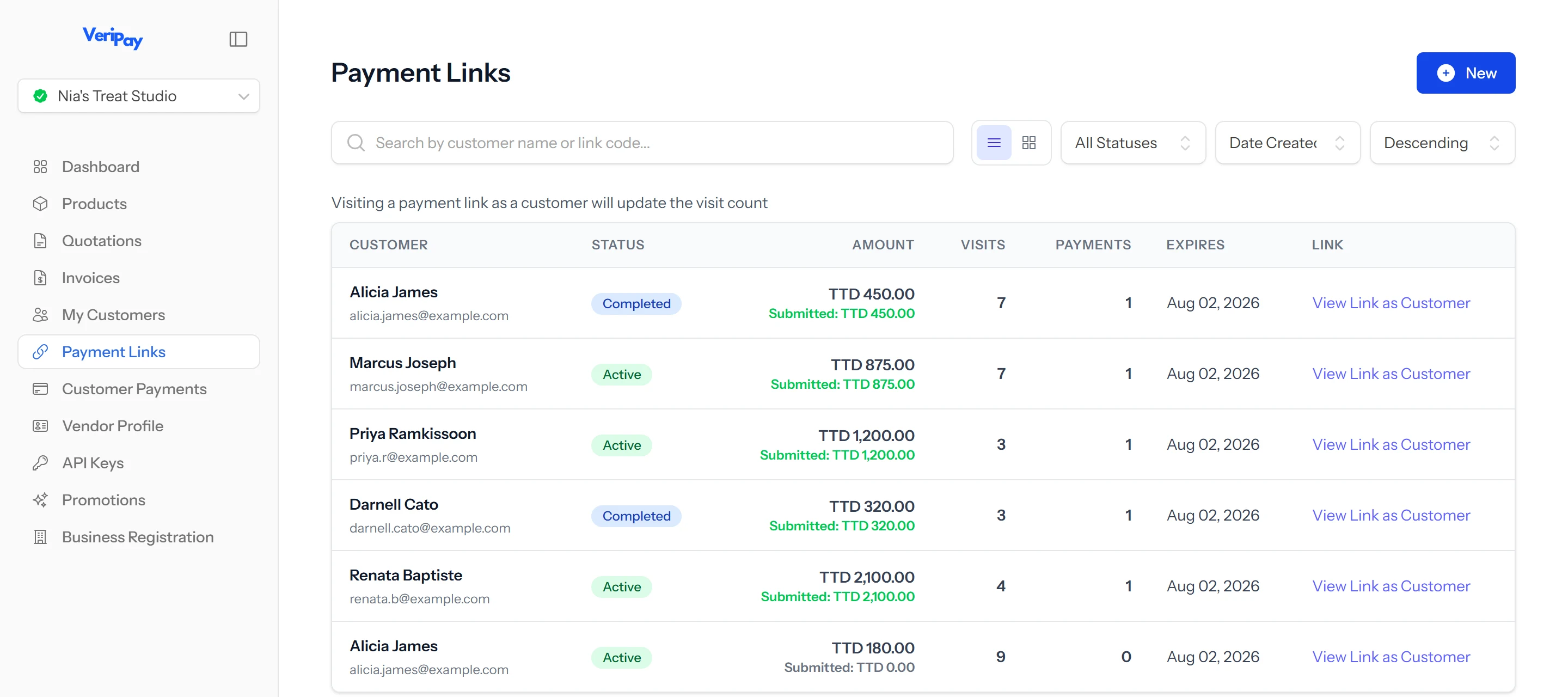
The amount, your banking details and where to upload the receipt are all on one page. Your customer sees exactly what to do - no back-and-forth to sort it out.
The follow-up list keeps itself
See who still owes you without asking around
Pending and confirmed payments sit in one list. You can see what's still owed and follow up - without rebuilding the story from old messages first.
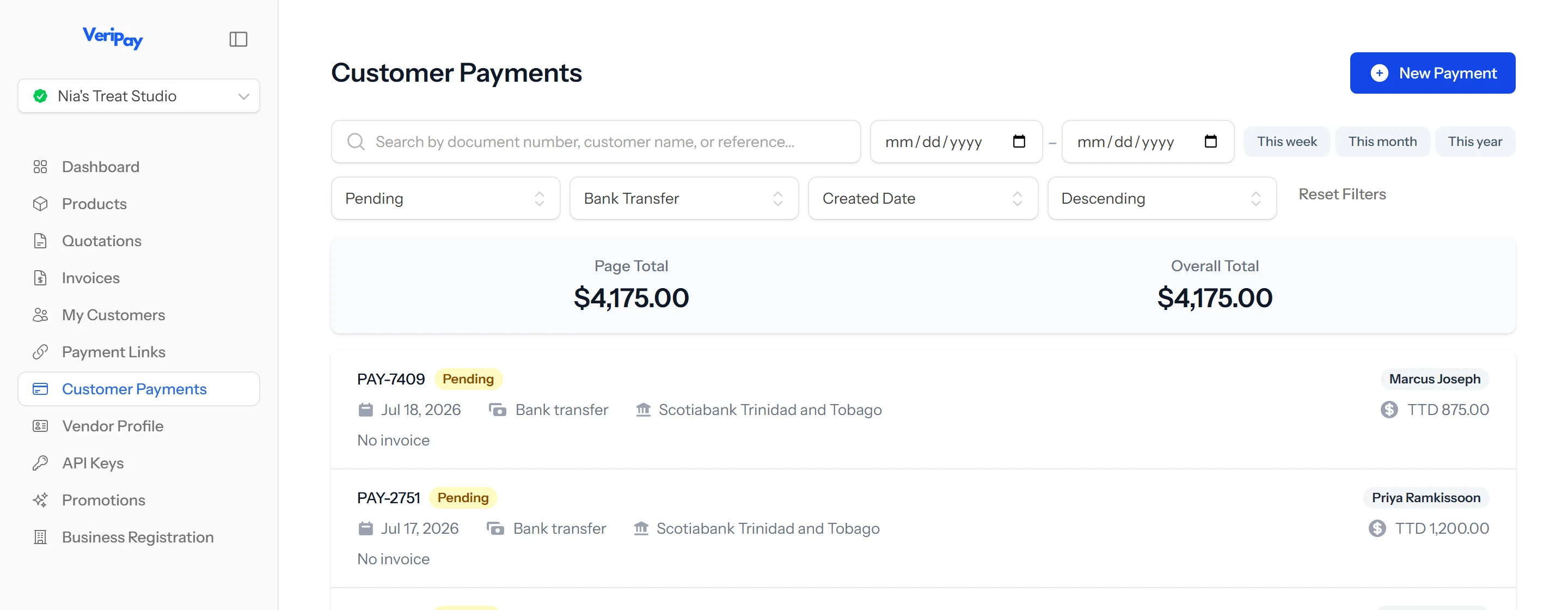
How it works
A clearer way to manage bank-transfer payments
From request to confirmation, every step stays connected.
-
1
Create the request
Add the customer, the amount due and the banking details they should use.
-
2
Send one link
Share it by WhatsApp, email or wherever you already speak with your customers.
-
3
The customer pays
They transfer the money directly to your bank and upload their receipt through the same link.
-
4
You confirm it
Check the payment against your bank account, mark it as received and keep the record for later.
VeriPay never logs into your bank. You confirm each payment yourself, against your own account.
What VeriPay is—and what it isn't
Your money stays with you. So does the final decision.
VeriPay helps you manage the request, receipt and payment history. It does not collect the customer's money, access your bank account or decide whether the payment was received.
- The customer pays directly into your bank account.
- VeriPay never asks for your online-banking password.
- Customers do not need a VeriPay account to pay you.
- You check your account and confirm the payment yourself.
Pricing
Two plans. Pay for what you use.
Both plans include payment links, verification and customer records. Prices are in Trinidad & Tobago dollars (TT$).
Lite
Pay as you goFor businesses that only need VeriPay now and then.
$3 per verification · no monthly fee
- Payment links and requests
- Receipt upload and storage
- Customer records and payment history
- A record of the banking details each customer was shown
- Pending and confirmed payment tracking
- Quotations
- Invoices
- Products and promotions
Verifications last 2 months. When you run out, top up in bundles of 20 for $60.
Standard
MonthlyFor businesses taking payments regularly that need ongoing follow-up and records.
Includes 20 verifications · $2 per extra verification
- Everything in Lite
- Quotations
- Invoices
- Products and promotions
- A lower cost per verification
Included verifications last 6 months. Need more before then? Top up in bundles of 20 for $40.
Pay by bank transfer - no card needed. Start on Lite and move up to Standard whenever you're ready.
FAQ
Frequently Asked Questions
Short answers to the most common VeriPay questions.
Customers make the transfer through their own online banking and upload a screenshot of the receipt to your VeriPay dashboard via the same link.
From there, you can quickly review the upload, verify the payment, and mark it as paid - so you always know who has settled and what's outstanding.
Onboarding requires: your business registration certificate, your business bank details, a valid photo ID and a few other details.
We aim to complete our validation process within 24 hours.
We're working to expand our API for the near future. Tell us what you'd like to see or what you're working on by emailing us at [email protected]. It might help us shape the future of VeriPay.
You already take bank transfers.
VeriPay just makes them easier to keep track of - while your money goes straight to your own bank account.
Start using VeriPay